Showing posts with label Education. Show all posts

Best Websites to Get University Level Education For Free

Not headed back to school this fall? You could be, minus the exorbitant tuition and without even leaving your chair. The web has made it easier than ever before to get a free education, and you'd join the ranks of great thinkers in history who were also self-taught, like Joseph Conrad, Albert Einstein, Alexander Graham Bell, Paul Allen, Agatha Christie and Ernest Hemingway. You, too, can be an autodidact; the breadth of free educational materials available online is absolutely astonishing.

This article introduces you to the three best websites to get started.

Khan Academy


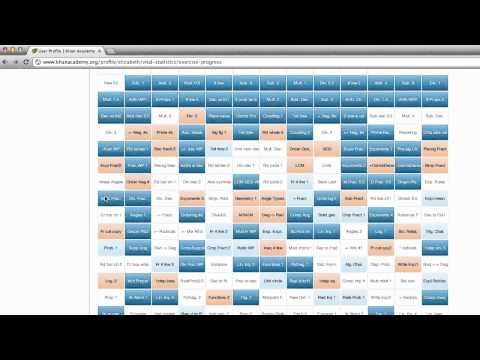
The Khan Academy is a non-profit educational organization, created in 2006 by Bangladeshi American educator Salman Khan, a graduate of MIT and Harvard Business School. With the stated mission of "providing a high quality education to anyone, anywhere", the website supplies a free online collection of more than 3,200 micro lectures via video tutorials stored on YouTube teaching mathematics, history, healthcare and medicine, finance, physics, chemistry, biology, astronomy, economics, cosmology, organic chemistry, American civics, art history, microeconomics and computer science.

Coursera

Coursera is an educational for-profit company founded by professors Andrew Ng and Daphne Koller from Stanford University, located in Mountain View, California. Coursera was launched shortly after Udacity -- a similar venture by former Stanford Professor Sebastian Thrun, and shortly before edX, a similar not-for-profit initiative by MIT and Harvard.


Coursera has created partnerships with reputed Universities including University of Stanford; Michigan; Princeton; and Pennsylvania, and provides free online courses in the fields of Computer Science; Healthcare, Medicine and Biology; Society, Networks and Information; Humanities and Social Science; Mathematics and Statistics; and Economic, Finance and Business. Each course includes short video lectures on different topics and assignments to be submitted, usually on a weekly basis. In most humanities and social science courses, and other assignments where an objective standard may not be possible, a peer review system is used.


Academic Earth


Academic Earth is a website launched March 24, 2009, by Richard Ludlow and co-founders Chris Bruner and Liam Pisano, which offers free online video lectures from universities such as UC Berkeley, UCLA, University of Michigan, Harvard, MIT, Princeton, Stanford, and Yale in the subjects of Astronomy, Biology, Chemistry, Computer Science, Economics, Engineering, English, Entrepreneurship, History, Law, Mathematics, Medicine, Philosophy, Physics, Political Science, Psychology, and Religion.

Way for Online English Language Course

Way for Online English Language Course - Language into your window space to go around the world. English language skills can be honed by following courses in language acquisition. In the era of Internet technology of today's modern enough, learning English can also be done by way of "Online English language".

English courses online is an effective way with the busy activity in your life. For those of you who daily are required to work all day, will surely have a very little chance if you have to do an English course in educational institutions of language courses.

This method is also easy, simple, yet has enough influence felt for a person's ability to speakenglish internet tips and trick English. You do not have to pay a non-language support for your learning course within a specified period.

You also do not need to attend regularly and discipline learned in the hours specified by the organizers of the course. You simply sit in a room utilizing internetfacilitiesin your home.Without having to wasteenergy and costtoattenda courseat an institution.

ENGLISH LANGUAGE COURSE VIA INTERNET

Whether the way the online English course that is quite unique and yet simple enough to have an influence on improving the quality of our English language?
Here are the steps suggested a unique way of online English language course that is quite simple, easy and can be done anywhere.

1. Have social networks involving your interaction with friends who have foreign citizenship, which is considered quite good in English language acquisition.
Look for colleagues from countries that do have the quality of standard English. Do not be with colleagues from countries that the quality of English is below standard. Colleagues from foreign nationals also you can get through chat, blogging, and so forth.

2. You can also choose one of his best friend who you think are good enough to be invited to correspond. Remember, you need to do is tell the truth that you want to learn to speak English with him.
Find someone who you can trust, for example if you are female, women look for partners to better maintain the security of your interaction. Because even after all the people in the virtual world we never know exactly who they are.

3. Perform routine conversations through social networking, chat, or even if you have to trust your partner, you can continue to;/span> sms mobile interaction.
This method will hone your ability to speak English passive, increase vocabulary and vocabulary effectively will keep these words in your pikarn in an easy and durable.

4. If you have difficulty understanding the vocabulary expressed by fellow correspondent can utilize the services of electronic English dictionary and translation software in English sentences into Indonesia or otherwise.
Install this software you enough on your computer and you can use at any time for help when you communicate.

English is universal language around this planet, if you don't have ability to speak it well, you may don't have chance to get many friends around the worldwide. Hopefully useful.
thousand-tips.blogspot.com

Shortcut You Must Know

Shortcut You Must Know - The most important shortcut -
What is a Shortcut?
Shortcut is the easiest way or the alternate key to be used to do one work easier. Here I will describe some of the shortcuts you need to know the users or people who are dealing with Windows operating systems.

For the browser:

1. To open a website we do not need to writd the full name of the website and its domain. For example we want to open a facebook by typing in "www.facebook.com".
How easy is that we simply typing "facebook" wrote, and then press Ctrl + Enter.
I need to explain also, Ctrl + enter are used only for domains ending in. Com, the other is below:
. net = Shift + Enter
. org = Ctrl + Shift + Enter

2. Ctrl + T is to open a tab / new window, so not to bother too much hassle mouse.

3. Ctrl + tab to move the numbers are, for example, you press Ctrl +5, it will move to the tab number 5.

4. Ctrl + F4 to close the tab is currently active.

5. Ctrl + S is for storing web pages on our computers.

6. Ctrl + Shift + T is to re-open previously closed tabs, can be pushed many times, you know.

7. To open link in new tab, we do not need to right click and select open link in new tab, just press the middle mouse button. Middle mouse click is in the middle between the right and left click.

8. Ctrl + (+) is to zoom in (enlarge) the active window.

9. Ctrl + (-) is to zoom out (reduce) the active window.

For Windows:

1. To open the Explorer, we do not need to start right click and select explore, or go to my computer first. Simply press the Windows key + E. Windows button that is located between ctrl and alt.

2. To open the menu simply type RUN windows + R.

3. Alt + F4 to close the active window.

4. windows + D is for me minimizes all active windows.

5. Ctrl + Alt + Del to open task manager rapidly.

6. Shift + del is to erase the data permanently (do not get the recycle bin)

7. Ctrl + A to select all items are available on the active window.

8. Alt + Tab to switch applications are currently active.

9. Ctrl + C to copy the selected item.

10.= Ctrl + V to paste the copy of the file.


11. F2 is the shortcut to rename the selected file.

It wrote well enough for now. Hopefully you can work faster by using the shortcut.
thousand-tips.blogspot.com

Download Free Typing Software

Download Free Typing Software - Hi worldwide typist !! This is a continuation of the post "how to Quickly learn typing with 10 fingers". And now I will give you software that can help you to learn typing with 10 fingers as I promise last year. This software called "Rapid Typing". As the title, this software can markup your ability to learn typing fast. But, this software does not mean anything without any intention from you. See the preview below :

thousand tips rapid typing
CLICK HERE TO DOWNLOAD RAPID TYPING DIRECTLY TO YOUR COMPUTER !!

How to Quickly Learn Typing with 10 Fingers

How to Quickly Learn Typing with 10 Fingers - Talking about typing, I would like to invite all citizens of the world together learn typing ten fingers.
"Why should ten-finger typing? I can type fast while using two fingers." Hmmm, this is called mental block ya. For that use two fingers, you will be very difficult to type without looking at the keyboard. Though today's era is synonymous with social networking chat. If you type slowly will reduce the effectiveness of social networking, ESPECIALLY to chat with another.

Just imagine, you know how many years and touched the keyboard? But why until now you still can not use it properly? Learn to memorize the ten fingers are like phone numbers. If we never have any intention of-12 for memorizing the number, we'll never remember it until whenever. But if we intend not just memorize it for 1 minute, we can keep memorized for years. Likewise with 10 finger typing, if not there is intent for learn, at any time until'll never be. If there is no intention, wrote a week could already typing without looking at the keyboard and it's going to stick in your brain until whenever.

10 Finger Typing Way :
First first know the position of the fingers - your fingers on the keyboard as follows:

typing with 10 fingersNote: In the letter F and J on the QWERTY keyboard, there are differences with the other letters. Ie there is little sign that you can feel with your fingers. It's important to put your finger exactly on the keyboard without looking at the keyboard.

Second are aware of their role - their fingers in typing. Here is a complete image and its color :

Note: You must type in the above guidelines. If typing the letter B you have to use your left hand index finger, do not use the right hand index finger or thumb. So also with the other. If you do not obey my commands, then your typing skills also will not be maximized and will be difficult to type fast.

Try to type your favorite songs you are most familiar. Because learning to type it would be nice if we do it with enjoy. Remember slowly - slowly first, which is important right first. Speed will follow. Rest when you start it is difficult to think of those letter. If the mind is calm already, just started training again.

Okay, in new year 2012, I will give you software that can help ou to learn to type 10 finger rapidly. It's called RAPID TYPING.
Click here to download software !!


Ok That's enough, Happy Typing !! :D