Showing posts with label Download. Show all posts

Easy Way to Remove Ask.com Conduit toolbar (Adware) on browser

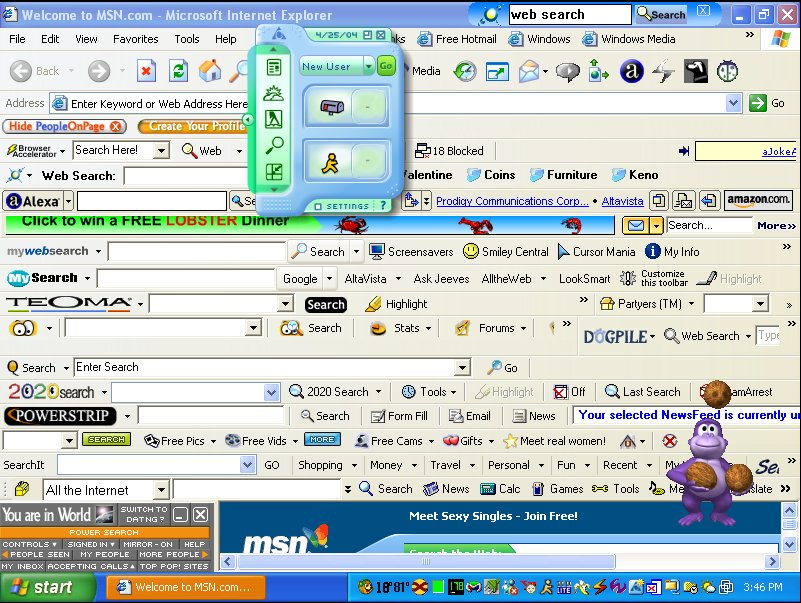
Disturbing Adware

Recently emerging unwanted toolbars appear in your web browser. Do you often find your default search engine changed to a search engine that is unfamiliar? It is an attack of adware (advertisement attack) that originated from the application installation mistake on your computer. Most providers download a free application that is in the top rank in Google is working with advertising companies to try to trick you also install the toolbar, addons, or other forms of advertisement in your browser. As usual, you will hit next, next and next to install an application on your computer, and you have been unconsciously install adware which will also interfere with your daily activities a day using your browser.

This simple article will give you an easiest way to remove all Adware in all of your browsers (Firefox, Chrome, IE, Opera, etc.) with only 2 clicks.

Check out simple tutorial below :
  1. Download adware remover HERE !!
  2. Turn off all current browsers
  3. Open AdwCleaner, click Search then wait Search process complete
  4. Click Delete, and reboot your computer after the deleting process is completed.
  5. Cheer, your browser has been cleaned up.

 The following is an adware that could be removed by this simple program :
  • Remove Absolute Uninstaller - Ask Toolbar
  • Remove Ad-ware - Google Chrome
  • Remove Anvir Task Manager Free - Dealio Toolbar
  • Remove Any Video Converter - Google Chrome
  • Remove AVG Free - Yahoo Toolbar
  • Remove AVG Linkscanner - Yahoo Toolbar
  • Remove Conduit Toolbar
  • Remove Bitcomet - Google Toolbar
  • Remove BitTorrent - Ask Toolbar
  • Remove BS.Player - BS. ControlBar
  • Remove Burn4free - 1Click DVD Copy Pro
  • Remove BurnAware Free - Ask Toolbar
  • Remove CDBurnerXP - OpenCandy
  • Remove Clamwin - Ask Toolbar
  • Remove COMODO Internet Security - Ask Toolbar
  • Remove Core Temp - Search Enhancement
  • Remove Darkwave Studio - OpenCandy
  • Remove Defraggler - Google Toolbar
  • Remove Driver Sweeper - OpenCandy
  • Remove ExtractNow - Registry Reviver
  • Remove Flashget - Google Toolbar
  • Remove FLVPlayer4Free - Video Download Toolbar
  • Remove Free Commander - eBay Shortcuts
  • Remove Facemoods Toolbar
  • Remove HwMonitor
  • Remove ICQ - ICQ Toolbar
  • Remove IE7Pro - Grab Pro Toolbar
  • Remove ImgBurn - Ask Toolbar
  • Remove Immunet - Ask Toolbar
  • Remove IObit SmartDefrag - IObit Toolbar
  • Remove IrfanView - Google Toolbar
  • Remove MediaCoder - Nitro PDF Reader
  • Remove MediaInfo - OpenCandy
  • Remove µTorrent - µTorrent toolbar
  • Remove Orbit Downloader - Grab Pro
  • Remove PC Tools Spyware Doctor - Google Toolbar
  • Remove PC Wizard - Ask Toolbar
  • Remove PicPick - Bing Toolbar
  • Remove Recuva - Yahoo Toolbar
  • Remove Spyware Terminator - Web Security Guard
  • Remove Webshot - OpenCandy
  • and Remove other suspicous malware / adware on your registry.
 http://thousand-tips.blogspot.com

Speed Up Download with 12 Best Leecher Ever.

Leech Definition : 
Leech is a kind of application php script which is used to perform a bypass of file hosting / server hosting (like Filesonic, etc.) to another server hosting or we use leech script which is already stored in it. In addition, Leech has been fitted with many plugins, so as to transloading files from many Filehosting as rapidshare, Megaupload, Hotfile, fileserve, filesonic, WUpload etc.


Leech working system :
Leecher Site will replace the download link that is free to download link that is premium so as to speed up your download. In addition to being faster downloading, the download process we may also be delayed and we can resume the download at maximum speed on your internet connection (resumable).

Below are some sites leecher you need to speed up your download. Happy Fast Download !!!

  1. 10s - Go to Site!!
  2. Vinaleech - Go to Site!!
  3. Downtoolz - Go to Site!!
  4. Preemlinks - Go to Site!!
  5. Link To Premium - Go to Site!!
  6. Wupload Leecher - Go to Site!!
  7. Fileserve Leecher - Go to Site!!
  8. Filesonic Leecher - Go to Site!!
  9. Leechgame - Go to Site!!
  10. Wiseleech - Go to Site!!
  11. Exrapidleech - Go to Site!!
  12. Leechking - Go to Site!!
Thanks for your attention, if you have some recommended leecher links, please share with us with give comment below this post.

http://thousand-tips.blogspot.com

StartW8: Free Start Button for Windows 8

Download StartW8 1.1.34.0
Ever since Microsoft released the new Windows, we’ve seen a few solutions to bring the Start Button back into the lower left hand side corner of the desktop. StartW8 is yet another alternative that could take over the sweet spot in Windows 8.

Like most apps taking over the responsibility of the orb in Windows 7, StartW8 is free of charge and does not attempt to push additional software on your system. Installation went smooth in our case and no restart was required in order to complete the operation.

Although StartW8 looks very much like the original menu, a regular user accustomed to Windows 7 should be able to spot this is a replacement fairly easy.

On the other hand, users are interested in its functionality rather than its looks, and StartW8 is slightly different than what we’ve seen until now.

As soon as installed, StartW8 places its custom button in the lower left corner of the desktop. Clicking on it reveals a familiar view, with search bar, program list, power button and the side menu.

You can switch the list of frequently used programs to show all the applications installed on the system, although the change does not occur automatically just by hovering the mouse over.

Given the position of the button, one would expect it to completely eliminate the original functionality of that corner in Windows 8; but StartW8 preserves its purpose so users can easily switch to the modern UI Start Screen with the mouse instead of keyboard shortcuts, as possible in other programs sharing the same purpose.

The context menu for StartW8 does not resume to giving access to the configuration panel of the application and includes a few useful shortcuts as well (Run, Windows Explorer, Command Prompt (with admin elevation, too) and power options: Hibernate, Sleep, Shutdown, Restart, Sign Out, Switch User and Lock.

Worth mentioning is that not all these power options are present in programs of the same category. In some cases, the hibernate button is missing.

The configuration panel is extremely simple and it comes already set up to suit most users’ needs. It is split into two sections that allow you to define the behavior of the OS after signing in, the default action triggered by the power button and to customize the side menu.

The default action for the power button can be any of the power options available in the Start menu (Hibernate, Sleep, Shutdown, Restart, Sign Out, Switch User and Lock).

Out of the box configuration makes the application switch to the classic desktop environment instead of the modern Start Screen. This can be easily changed under the “Basic Settings” panel. Here’s also the place to enable hotkeys (Win or Ctrl+Esc) for launching StartW8’s menu.

Furthermore, you can disable the bottom left hot corner button. This feature has been freshly added in this version of the program.

In the case of the side menu, the options include links to personal folders (Documents, Music, Images, Music, Videos, etc.) as well as system areas, such as Control Panel, Devices and Printers or the list of default programs.

There is also the possibility to add the Run command to the menu, though advanced users can easily call it through the traditional Win+R hotkey.

StartW8 is pretty far from mimicking the functionality of the original orb in Windows 7 and further proof is the fact that new entries are not highlighted. On the same note, the list of frequently used programs is not dynamic, so it will not change as you launch the same entry over and over again; not even after a computer restart.

Once that space fills up, you can start deleting old entries in order to make room for new ones. The application does not offer the possibility to pin items to the start menu.

During our tests, StartW8 seemed to respond to our commands slower than applications of the same kind.

Also on the downside, there is no automatic update mechanism available or the possibility to receive alerts about a new version being available. As such, users have to check for new updates manually from the “Settings” panel.

The computer requires a restart after installing a fresh update for all the changes to take effect.

The Good

It can boot the system into the familiar desktop environment instead of the modern Start Screen. It offers easy access to power actions such as hibernate and sleep as well as to personal folders (documents, music, videos, images).

The Bad

You cannot add your own shortcuts to the start menu. New applications are not highlighted in the menu. We noticed it moved a bit slow compared to applications in the same category.

The Truth

StartW8 makes for a valid alternative as a start button for Windows 8. It is easy to work with and to configure. However, there are choices on the market that provide a wider range of features.

Download StartW8 1.1.34.0

Kaspersky Anti-Virus & Internet Security 2013 Final + Key

Kaspersky Anti-Virus & Internet Security 2013 provides a wide range of technologies to protect your privacy and your identity – including two unique security features for entering personal information online.

Secure Keyboard is a new Kaspersky technology that automatically activates whenever you open a bank website or payment website – or you enter a password within any web page – to ensure that information you enter using your physical keyboard can’t be accessed by keyloggers

For our ultimate protection, Kaspersky’s improved Virtual Keyboard feature allows you to use mouse-clicks to enter your banking information – so that keystrokes can’t be tracked or stolen by keyloggers, hackers or identity thieves

Prevents malware from exploiting vulnerabilities in your PC

If your PC has application or system vulnerabilities that haven’t been updated with the latest fixes, cyber criminals and malware could gain entry. In addition to scanning for vulnerabilities, Kaspersky Internet Security 2013 analyses and controls the actions of programs that have vulnerabilities – so they can’t cause any harm.

Keeps your children safe and responsible

Award-winning family protection features help you to keep your children safe and also give you greater control over your children’s access to the PC, the Internet, applications, games and websites. You can block, limit or log your children’s Instant Messaging and social network communications – and block the transfer of private data, such as phone or credit card numbers.

Compatible with Windows 8

Kaspersky Internet Security 2013 is fully compatible with Microsoft’s latest operating system – Windows 8 – and is integrated with Microsoft’s latest IT security innovations. In addition, Kaspersky Now – a new application that has been developed to support Microsoft’s new user interface – lets you monitor your PC’s security status and launch vital security features.

Identifies suspicious websites and phishing websites

Advanced anti-phishing technologies proactively detect fraudulent URLs and use real-time information from the cloud, to help ensure you’re not tricked into disclosing your valuable data to phishing websites. Our URL Advisor also adds colour-coded tags to all web links – to advise you of the danger level of the link and subsequent pages.

Download

Kaspersky AntiVirus

Kaspersky Internet Security

Kaspersky AntiVirus Key

0E0A7B9F.key
0E0E3271.key
0E138758.key
0E2F719B.key
0E494F82.key
0E5CEDF1.key
1118D639.key
1175578C.key
11C5E29C.key
12270E7B.key

Kaspersky Internet Security Key

114447A2.key
1279BD2F.key

Avast Pro Antivirus & Internet Security

Avast Pro Antivirus uses several layers of protection, keeping your PC and resources safe from several angles. With built-in protection from spyware, rootkits and Trojans, the software is equipped for all major security threats. The application includes protection from malware spread through email (by scanning both inbound and outbound messages), and it also has an integrated IM shield. Avast also includes specific protection for several popular P2P file-sharing applications.
Avast Pro Antivirus has an advanced heuristic scanning engine to proactively detect malware that tries to bypass traditional virus scanners. While the files may look harmless, if they show malware-like behavior, the heuristic scanning engine can stop them.

Effectiveness:

Virus Bulletin has certified Avast Pro Antivirus software with a VB100% (meaning that it caught 100% of in-the-wild viruses). AV Comparatives reports a high virus-detection rate, one of the best in the industry. AV Comparatives deems the software as one of the best solutions. Actual malware removal is still above average. Avast Pro Antivirus has also made a good showing in speed and performance tests. The antivirus software has only a light impact on startup and shutdown times. Smart scanning and multi-core optimization further speed up system scans and keep Avast Pro Antivirus light and unobtrusive.

Download

Avast Pro Antivirus Setup

Avast Internet Security Setup

License

avast! Internet Security expiry date Jun 13, 2013.avastlic

Download Free Typing Software

Download Free Typing Software - Hi worldwide typist !! This is a continuation of the post "how to Quickly learn typing with 10 fingers". And now I will give you software that can help you to learn typing with 10 fingers as I promise last year. This software called "Rapid Typing". As the title, this software can markup your ability to learn typing fast. But, this software does not mean anything without any intention from you. See the preview below :

thousand tips rapid typing
CLICK HERE TO DOWNLOAD RAPID TYPING DIRECTLY TO YOUR COMPUTER !!