Showing posts with label tips and trick. Show all posts

Easy Way to Remove Ask.com Conduit toolbar (Adware) on browser

Disturbing Adware

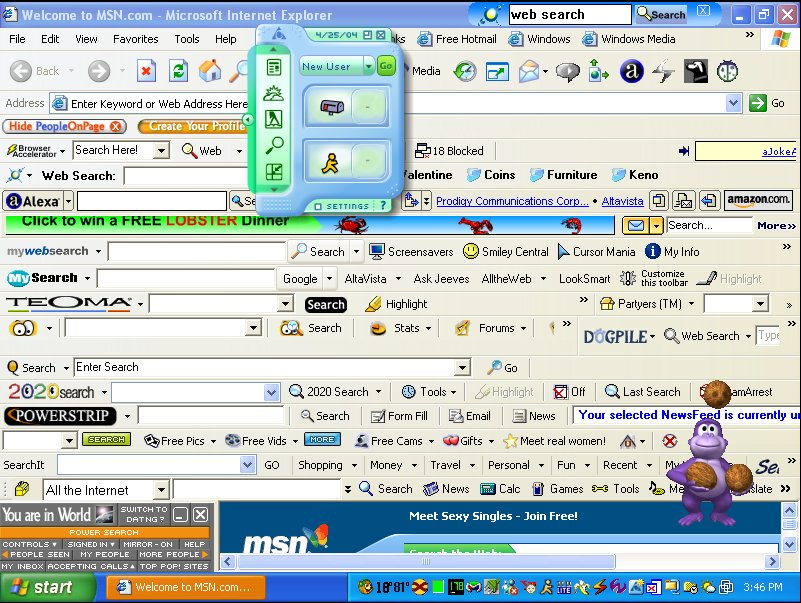
Recently emerging unwanted toolbars appear in your web browser. Do you often find your default search engine changed to a search engine that is unfamiliar? It is an attack of adware (advertisement attack) that originated from the application installation mistake on your computer. Most providers download a free application that is in the top rank in Google is working with advertising companies to try to trick you also install the toolbar, addons, or other forms of advertisement in your browser. As usual, you will hit next, next and next to install an application on your computer, and you have been unconsciously install adware which will also interfere with your daily activities a day using your browser.

This simple article will give you an easiest way to remove all Adware in all of your browsers (Firefox, Chrome, IE, Opera, etc.) with only 2 clicks.

Check out simple tutorial below :
  1. Download adware remover HERE !!
  2. Turn off all current browsers
  3. Open AdwCleaner, click Search then wait Search process complete
  4. Click Delete, and reboot your computer after the deleting process is completed.
  5. Cheer, your browser has been cleaned up.

 The following is an adware that could be removed by this simple program :
  • Remove Absolute Uninstaller - Ask Toolbar
  • Remove Ad-ware - Google Chrome
  • Remove Anvir Task Manager Free - Dealio Toolbar
  • Remove Any Video Converter - Google Chrome
  • Remove AVG Free - Yahoo Toolbar
  • Remove AVG Linkscanner - Yahoo Toolbar
  • Remove Conduit Toolbar
  • Remove Bitcomet - Google Toolbar
  • Remove BitTorrent - Ask Toolbar
  • Remove BS.Player - BS. ControlBar
  • Remove Burn4free - 1Click DVD Copy Pro
  • Remove BurnAware Free - Ask Toolbar
  • Remove CDBurnerXP - OpenCandy
  • Remove Clamwin - Ask Toolbar
  • Remove COMODO Internet Security - Ask Toolbar
  • Remove Core Temp - Search Enhancement
  • Remove Darkwave Studio - OpenCandy
  • Remove Defraggler - Google Toolbar
  • Remove Driver Sweeper - OpenCandy
  • Remove ExtractNow - Registry Reviver
  • Remove Flashget - Google Toolbar
  • Remove FLVPlayer4Free - Video Download Toolbar
  • Remove Free Commander - eBay Shortcuts
  • Remove Facemoods Toolbar
  • Remove HwMonitor
  • Remove ICQ - ICQ Toolbar
  • Remove IE7Pro - Grab Pro Toolbar
  • Remove ImgBurn - Ask Toolbar
  • Remove Immunet - Ask Toolbar
  • Remove IObit SmartDefrag - IObit Toolbar
  • Remove IrfanView - Google Toolbar
  • Remove MediaCoder - Nitro PDF Reader
  • Remove MediaInfo - OpenCandy
  • Remove µTorrent - µTorrent toolbar
  • Remove Orbit Downloader - Grab Pro
  • Remove PC Tools Spyware Doctor - Google Toolbar
  • Remove PC Wizard - Ask Toolbar
  • Remove PicPick - Bing Toolbar
  • Remove Recuva - Yahoo Toolbar
  • Remove Spyware Terminator - Web Security Guard
  • Remove Webshot - OpenCandy
  • and Remove other suspicous malware / adware on your registry.
 http://thousand-tips.blogspot.com

Speed Up Download with 12 Best Leecher Ever.

Leech Definition : 
Leech is a kind of application php script which is used to perform a bypass of file hosting / server hosting (like Filesonic, etc.) to another server hosting or we use leech script which is already stored in it. In addition, Leech has been fitted with many plugins, so as to transloading files from many Filehosting as rapidshare, Megaupload, Hotfile, fileserve, filesonic, WUpload etc.


Leech working system :
Leecher Site will replace the download link that is free to download link that is premium so as to speed up your download. In addition to being faster downloading, the download process we may also be delayed and we can resume the download at maximum speed on your internet connection (resumable).

Below are some sites leecher you need to speed up your download. Happy Fast Download !!!

  1. 10s - Go to Site!!
  2. Vinaleech - Go to Site!!
  3. Downtoolz - Go to Site!!
  4. Preemlinks - Go to Site!!
  5. Link To Premium - Go to Site!!
  6. Wupload Leecher - Go to Site!!
  7. Fileserve Leecher - Go to Site!!
  8. Filesonic Leecher - Go to Site!!
  9. Leechgame - Go to Site!!
  10. Wiseleech - Go to Site!!
  11. Exrapidleech - Go to Site!!
  12. Leechking - Go to Site!!
Thanks for your attention, if you have some recommended leecher links, please share with us with give comment below this post.

http://thousand-tips.blogspot.com

The Importance of New Email

There are many reasons that make someone want to have a new email. New Email has become one of the main needs are to be met by the internet users. There are many websites that require us to enter a new email address so that we can verify. Additionally, social networking is on the rise today requires having a new email in order to access social networking.

Indeed, not all internet users who create a new email that means is not yet have email. There are even internet users who already have multiple email addresses but still create a new email to facilitate their activities in the internet world.

Reasons which usually happens when someone decides to make a new email is already old email can not be opened again. Email longer it will be automatically locked for three months if the email is not opened so the owner must register the old email back to get a new email.

There is another internet users who create new email due to separate the email addresses in the email that the old job and the new email is used only as a supplement to register well in various social networking sites and various websites that require an email address.

With managing a new email and old email by category and needs, the email address can help owners in a variety of activities or work. New email-related jobs will contain all the information or electronic mail regarding his work.

Created a new email to register for social networking will allow us to monitor our social networks. Even if one day we are troubled social network account, then we use the email address at the time of registration in social networking will be able to help us to gain or improve our social networking accounts troubled. Email new custom made to become a member or members of various mailing lists will be filled with activities and a variety of information related to the mailing list.

Whatever the reasons for the internet users to create a new email actually has the same purpose. With the new email, the Internet users will more easily interact with the virtual world or the internet world.

The Advantage of Having a New Email
There are many advantages if we have a new email. The advantages are as follows :
  • Allows the owner to create a new email new email classification before it is filled with electronic mail incoming repeatedly. This occurs when a new email is used for a mailing list that has enough traffic and high activity.
  • With the new email, then we have an alternate email address that will be useful when we are troubled old email.
  • Email new easy sending of electronic mail to the same destination address. For example, if the purpose of sending us an email is Yahoo, it will be easier for us to send email from Yahoo email that we have. But if the purpose of sending us e-mail address is Google Mail, it will be better if we send the email through Google Mail which we have.
  • Allows the owner to create a new email new email classification before it is filled with electronic mail incoming repeatedly. This occurs when a new email is used for a mailing list that has enough traffic and high activity.
  • With the new email, then we have an alternate email address that will be useful when we are troubled old email.
  • New email enable the owner of the email to make a distinction in the emails that he already owns. For example, the email specifically for distinguished work with the email associated with personal or business email function only as a condition to enroll in games and other entertainment websites.
  • With the new email that is different from old email, it allows us to explore the advantages of each email to facilitate our activities in the internet world. Yahoo email has distinct advantages and disadvantages to the email created in Google Mail. 
The Disadvantage of Having a New Email

In addition to the benefits of a new email as described above, create a new email in large numbers also has many disadvantages. Losses due to we have many new emails are as follows.
  •  With so many new emails that we have, then we will not focus on managing our new email is. And sometimes even because of the new email that we have makes us less open these emails. So make a new email into a futile activity.
  • New email also allows us to forget to open our old email. And it will make us easily lose our email course contains a lot of important data that might one day we need back.
  • Has many new email can also make us difficult to remember all the passwords or keywords we use to open the emails. Unless we have a good record going all the keywords for each new email that we make.
  •  New email that we make without our knowledge with clear intent to make such activities a new email is a useless activity.
By knowing the advantages and disadvantages to make and has lots of new emails, so it's good to think we as internet users advance our goals in creating the new email.

Clear purpose in making a new email would make us truly able to coordinate all the email that we have. Possible to help us in remembering any passwords or keywords used within each new email is created, we can use a password storage facility or keywords contained in the browser we use. If at any time forget the password or email the new keywords, we stay open storage section existing password in our browsers.

Take advantage of New Email Password Storage in Browser 
Here is how to take advantage of storage facility for new email password in the browser we use. How to use the following password storage facility is the use of passwords are available in the browser Mozilla Firefox.
  • When storing passwords, when we open a new email or other emails we have, then passwords or keywords are stored directly in the browser Mozilla Firefox is available on your computer or laptop.
  • When forgotten, then we can look back at a new email passwords in the password storage section or keyword.
  • Open the Mozilla Firefox browser and open our Tool section. Then take a look at the options that appear. At the very bottom would look option Option. Open the Options section.
  • This will bring up a dialog box that contains the following options. The top of the dialog box it says the General, Tabs, Content, Application, Privacy, Security and Advanced.
  • Open the Security section. Look at the center of the box in the password. To enable the storage of passwords, then Check the boxes for the box labeled Remember passwords for sites. And to see the passwords that we have saved in the password storage facilities, then we can make the Saved Password.
  • At the Saved passwords, all passwords or keywords we have used will be stored along with the name of a website or a new website or email us for a password or use the key word. 

 Thousand-tips.blogspot.com

    Secure upload photos facebook

    Upload photo on facebook - Upload facebook foto securely - Play Facebook securely - Uploading photos facebook is something reasonable done by the generation that is familiar with the technology as it is today. Through the photo, someone who actively use the social networking site facebook to show their identity and existence in society. Especially to those who have formed a friendship with the owner of the Facebook account.

    Moreover, social networking sites like Facebook is now not difficult to be accessed by the public. Each layer of the public can have the facebook account by registering for free. This is mainly done by young people who still have a spirit of adventure and love to try everything that is new.

    Installing this facebook photos, including one of the ways in which social networking account owners to introduce themselves to others. Usually mounted photo is the best photo or thought to lift the impression of the owner of the account.

    Facebook itself is a social networking site that has quite a lot of fans. The development of sites found by Mark Zuckerberg himself quite rapidly in attracting interest from people around the world.

    One of the charms of this social networking site is, its ability to reunite with an old friend of someone who is registered on the site. In addition, a facebook account owner can also establish relationships with other people he knew from the tangle pertemnaan the site.

    Furthermore, how to obtain an account on the social networking site facebook itself quite easily. In addition to not need to make payments, we just need to fill out some personal data which will be confirmed via e-mail address or phone number to be used as the identity.

    We can also fill in some information about our personal data when registering or creating facebook account. Biodata is used to make it easier to find a friend who has a relationship with the biodata that we fill it. For example, find a friend who comes from the same school or also from the same region. Can also to seek relationships that have the same hobby.


    The advantages of facebook

    Many people who consider the social networking site Facebook has advantages than other social networking sites first appear that myspace. It is characterized by the number of myspace users who are no longer actively using their account, after getting to know the site facebook.

    In addition, it is also marked with the number of new accounts that are popping up every day, the list of members of facebook. On the other hand, the advantages of the site facebook is the availability of a facility that allows any owner of the facebook account to interact with each other directly. Either by exchanging messages or even talk to each other directly.

    For the interaction of a general nature and can be accessed by the public can be made via a comment in a status or a photo uploaded by the owner of the Facebook account. Any comments given by a person, will be raised in the notice so that it can be known by the owner of the account.

    Values ​​over facebook social networking account is that some facilities that game can be played online. Thus, someone could play along with other facebook users accounts that are in distant places. Including those who were not included in the list of friends on our facebook account.

    This is what makes the users of facebook are not prone to boredom when accessing the site. So that we can have a lot of choice and not just a busy sharing status or comment on the status made ​​by our colleagues. So, open the social networking site facebook will refresh our minds and makes relaxation.

    Facebook photo upload facility also allows us to do some activity. For example, to show off the work of someone in the field of photography or also used to create an economic activity. For example, as a medium to display merchandise in the online store that uses these social networking sites. So that it is easier to offer and introduce the products we sell to everyone on the list of existing friendships.

    So in the future for those who are interested to know more about the products we offer, please contact the account owner. Further, purchase and sale transactions can be done with our friendship sites such use. This is worth more than facebook that eventually evolved not only as a medium to find old friends or make new friends. But can also be used as a medium to earn money by opening an online store in the site facebook.

    Facebook can also be a medium for political activities. As the news spread a campaign or also to do support on the social phenomena that exist in real life. By utilizing the manufacturing facility in the facebook group, we can make an issue of public knowledge are proper. From here, later we can expect the support of everyone who was concerned with the issues that we make them.

    Playing Facebook Safely

    On the other side, although the social networking site offers a lot of advantages, but it does not hurt for us to continue to promote prudence. Especially when we are in communication with those we do not know in the real world. Or also when we are communicating with the opposite sex whose origins were unclear.

    This has been widely expressed in various media about misuse of this friendship site for unlawful conduct. For example, fraud, kidnapping to misuse of social networking accounts to benefit a particular party.

    For that, we must have a facebook account caution when accessing it, to avoid things that are harmful. Some safe ways that can be used when playing facebook, among others, by this way:

    1. Avoid giving information openly accessible to all people. For example, by installing a phone number or address is also our homes so that everyone can know. If there are those who ask personal identity, should we need to be vigilant, especially in people who have not we met before.
    2. Do not attach a photo could invite negative perceptions of ourselves. If we want to upload, we should impose limits on who can look at the photo. Thus, there will be no misuse of the personal photographs are owned by us.
    3. Be careful doing this transaction with facebook media. If we are interested in purchasing any items from online stores that exist in facebook, examine the validity of the store. Do not be easily fooled and are interested in low prices offered by the online store account manager.
    4. Update your facebook account password periodically, especially after opening a facebook account in a public space such as internet cafes. This is so that we avoid hijacking facebook account so that it can be abused for the benefit of the less well specified.
    Hopely Useful. By thousand-tips.blogspot.com

    Generating Traffic From Immortal and Seasonal Keyword

    Traffic keyword - Generate Immortal and seasonal Keyword - Get visitor from Search Engine will certainly make our Blog more valuable and will certainly be more useful than many people. But to bring in visitors from Search Engines is not easy, due to intense competition in getting visitors from Search Engines. One way to bring the Visitor of the Search Engine Keyword by making use of articles both seasonal or immortal keyword.

    Keywords Internet tips and trick


    What is Immortal and Seasonal Keyword?

    Immortal keyword, is always the keywords searched by Internet users. Example : "How to get traffic in your blogs", "make money from blogs", etc. Essentially, this keyword will always be searched by Internet users from time to time.

    Seasonal keywords, keywords that are searched by Internet users is only at certain times. For example, that are hot today is Euro 2012, lady gaga tour, MotoGP 2012 Schedule, etc.. Keywords in the search is of course only when the topic was a trend only.

    Optimize both Immortal and Seasonal Keywords.

    - Immortal Keyword -
    1.  Write articles with keywords that targeted, the percentage of keywords in these postings do not try to exceed 7%.
    2. Title of the article do not exactly match the keyword, try to give additional behind to look at the unique sight of Search Engine (SE). Suppose you write an article "Tips Height Increase" be my friend try to "How To Increase Height Naturally."
    3. After publishing the article, do not rush to find backlinks. Wait until the article is really well indexed in search engines. To find your article is indexed or not is by copying and pasting some of the first paragraph of your article into the search engines. If your article appears positioned on the top, your article already indexed. Why do we have to wait for articles indexed? This is to ensure that when you submit to your social networking sites is not considered duplicate content because of less traffic to your article on the social networking site.
    4. If the article is really well indexed, then it's time to hunt backlink. Prioritizing a dofollow backlink. You can search for backlinks to submit to social bookmarking sites, and comment on dofollow blogs.
    - Seasonal Keyword -

    Here is much more way to optimize your Seasonal-keyword-article. Because it's just available in specific time.
    1. Posting articles with targeted keywords, get keywords around 5-8% percent and not to exceed 10%.
    2.  You can use the title of this post according to the searched keyword, such as Title "Match Germany vs Italy" for the title of the article remain as such.
    3. After the article published, wait until the articles indexed (same as point 3 above).
    4. When hunting backlinks, for this type of seasonal keywords, it is better not to find backlinks by blog commenting. Because backlinks gained little time for the index search engine. This could lead to a backlink on your blog is listed when the keyword is not searched again.
    5. The best backlinks according to bloggers and internet users, are using the social bookmarking site. So, social networking sites every day is always updated in a matter of minutes with the news is submitted by the user should, be automated often visited by search engines.
    6. Create multiple accounts for each of the sites and use social bookmarking to vote your article. It would be better to do.
    7. Create a dummy article in the blog with your keyword anchor text backlinks to strengthen. More commonly known as Link Wheel.
    These are a few ways to increase your blog traffic with two types of these keywords. May be useful for we are all seekers of the visitor. Thank you.  

    Internet tips and trick - http://thousand-tips.blogspot.com

    How to Resolve Plagiarism Blog

    Avoid Plagiarism - Disable copy paste on blogger - What should I do when my article being copied -- It feels really uncomfortable after many minutes even hours to write, suddenly came the thieves article. Casually and without guilt they copy-paste our articles to their blogs. I actually does not mind if I copy-paste text if it does not damage the SEO blogs and articles in Google SERP ranking. The problem is, Google often does not know where the original article and which the copy-paste. So it is not uncommon article first appeared loot compared to the original article. Even the few cases where the original article sentenced to Google Panda. So, how to deal with theft of an article?
    JUMP to HEADLINE below :


    Resolve Plagiarism Blog


    If you write articles which are original works of your own in your blog, and you write with full dedication. With some difficulty to find references, arranged one after another, and make it readable in writing a complete article and attract readers, then you will feel satisfied. Readers will also be pleased. However, there are some readers who are so happy and then copy-paste an entire article to the blog. His intentions may be good, so that the information is read by visitors to his blog.
     

    However, the consequences are not good especially for the source of the article is in the eyes of Google search. Because if there are two or more posts exact same thing, only one paper to be selected by Google to appear in Google search. And troublesome, which appears not always to the original article. Not infrequently the copy - paste article it to appear over the top of the original writing. The point is, copy-paste can be very damaging to SEO writing origin.

    To overcome this, there are two ways. First, contact the blogger who copied your article and ask to remove posts that the cheat sheet. Or remove most of the article and give backlink / source for the next article.


    Second, ask DMCA Complaints to Google that article on her blog removed from Google search.

     
    HOW TO REPORT TO DMCA GOOGLE COMPLAINTS


    If second way that taken, then who the original atthor an article may file a lawsuit to the DMCA complaints to Google in order to article on another blog plagiarism recalled Google Search which will return the traffic to your blog on Google.

    Here's a guide:
    1. Visit Google online form and fill it.
    - In the "Identify and describe the copyrighted work", insert text and a summary of the text which being copy-paste.
    - In the "Where can we see an example of the work authorized?", Write the url address that being copy-paste.
    - In the "Location of the allegedly infringing material", write the url address that copy-paste your article to be submit to Google to be removed from Google.

    2. Click on Submit. 


    You will then receive an email reply from Google as follows:
    "Thank you for using our online AdSense DMCA complaint form. We have received your complaint and have queued it for review. Once our investigation of your complaint is complete, we will send you an email confirmation."

    HOW TO KNOW BLOG SITE THAT COPIED YOUR ARTICLE

    1. Visit Google.com
    2. Write a headline for your article with enclosed quotes. Example, "How to Resolve Plagiarism Blog"
    3. Press Enter.
    4. It would appear the site - other sites that copy-paste your article containing the same word.
    5. Visit the site - these sites one by one to find out whether the quoted 100% or only partially.
    HOW TO DISABLE COPY-PASTE ON BLOGGER

    Disable the feature highlight and copy-paste may also reduce the potential for thieves to steal the article you original articles. Do the following:
    1. Login into blogger.com
    2. Click the "Layout"
    3. Click add gadget, select HTML / JavaScript
    4. Enter the following code in the box provided.

    <!--Disable Copy And Paste-->

    <script language="JavaScript1.2">

    function disableselect(e){

    return false

    }

    function reEnable(){

    return true

    }

    document.onselectstart=new Function ("return false")

    if (window.sidebar){

    document.onmousedown=disableselect

    document.onclick=reEnable

    }

    </script>
        5.  Save.

    THE NEGATIVE IMPACT OF ARTICLES IN THE COPY-PASTE
    The main negative impact when that original article in the copy paste is as follows:
    1. Original articles will go down the rankings in Google because it is a duplicate article.
    2. Original articles is sometimes considered plagiarism articles, while that copy-paste the article is considered that original article. When this happens, then the original article will disappear from Google search or Google hit by Panda.
    3. If one of the articles are being punished by Google Panda, then it will affect your ranking in the SERP article - another article. So, it's dangerous and a large negative impact of the article robber.
    Now we already know what a danger of theft of the article, then, as soon avoid. Remember, google love originality. Internet tips and trick, http://thousand-tips.blogspot.com


    Make Your Blog DoFollow

    How to make your blog dofollow - How to make dofollow blog - What is dofollow - what is benetif of dofollow blog - SEO Tips - Welcome to the blogger world. This time I'll try to share ways to make your blog a dofollow blog. I've heard that make your blogs dofollow can increase traffic and Pagerank. Have a read !! Z6CSQFDTNXW4
    dofollow blogs
    Dofollow Pic
    What is the use dofollow?
    The Meaning Of Dofollow Blog is a "follow", so it can be dofollow mean that if someone were to comment on blogs that "dofollow" to fill the website with the address of the website or weblog commentator, then blog dofollow will be calculated as Google backlinks to a website or weblog commentators. For example if you commented on this article post a comment form to include your website url or weblog
    Thus, by entering your website address, so when Google detects your blog automatically google will also check all the links contained on your blog and count all the links leading to your blog. Thus a dofollow blog comments that you provide will be counted. The more links a blog embedded collected by Google, the better the popularity of the blog. This is what is called backlinks.

    Benefits for Dofollow Blog Commentator.
    You leave a comment with good quality and relevant (Not Spam) to what is discussed on the blog post, then most likely your comments will be approved by the blog owner to share creativity, might even return visit by the blog owner to share creativity , even to follow your blog, it will be clear that free traffic to your blog. Back again to the problem dofollow, with a well commented and eventually your comment approved by the blog owner then you will be really helpful to get a free backlink and this is good according to google. Because google will note that these blogs provide a backlink to websie or your weblog. As I explained above.

    What Benefits for Admin Blog Dofollow?
    For the owner of the website or weblog is very little profit. Among them only so that any visitors to comment on his blog. That's it, and even in the eyes of google blog dofollow will be dropped in Page Rank, as there are many links that lead to the outside, including to that comment. So the benefits to sipemilik dofollow blog just so "so visitors would not comment." But, that does not mean it's definitely blog dofollow page rank is low, many blogs that dofollow page rank it is almost perfect. And it must be done by the masters of SEO that really should familiarize yourself with things like this. And like me who do not want to miss new participation into a Dofollow blog, though relatively new, but I'm sure I can! How about you?

    Here is how to make your blogs DOFOLLOW :


    Self-Hosted WordPress Blogs

    For self-hosted WordPress users, it is pretty easy. Simply go to your Dashboard > Plugins > Add New and search for DoFollow. You should receive a list of current DoFollow plugins that you can simply install and activate. Once activated, these plugins automatically make all of the commenters’ links (past and future) DoFollow.


    Blogger / Blogspot Blogs

    For Blogger / Blogspot blogs, you will need to do a few things. First, under settings, allow Anonymous users to comment. This is the only way your commenters will have the Name / URL option. Then, go to your Layout tab ; Edit HTML. From here, you will need to Download Full Template, which will be an XML file.

    Open the XML file in a text editor. Just in case there are any problems, first save a backup copy of your template. Then do a search for nofollow. You will find two lines that will simply need the rel=’nofollow’ removed from the code – one for the commenter’s URL, and one for backlinks.

    expr:href='data:comment.authorUrl' rel='nofollow'>
    expr:href='data:backlink.url' rel='nofollow'>


    Save your template xml, and then upload it. Now your Blogger / Blogspot should be free of nofollow links.

    Enough. Please have a comment below if you have any question. Hopely useful.

    http://thousand-tips.blogspot.com


    Z6CSQFDTNXW4 

    Get 30.000 Backlinks with One Click !!

    How to get backlink fast - Backlink automatic - Website submitter - Dear worldwide blogger. Surely you already know what it is backlink. Backlink is the feedback that leads to the blog that you manage. With the spread of backlinks, you can increase your blog traffic and make your website more popular than ever. This is one way backlink to spread very quickly. Compared to the other way, this way is very easy and effective as it can submit your blog in more than 30,000 known website.

    Here is an easy way to quickly submit your blog:

    1. Open website submitter HERE !!
    2. Enter your blog. Ex. http://thousand-tips.blogspot.com
    3. Write your keyword which related to the content of your blog.
    4. Choose limit the number of created pages in maximal.
    5. Submit !!
    6. Done.

    Note : You have to wait a few hours (depend your internet connection) to finish the task.

    You can also read post about "How to Increase your traffic blog (Complete ways)"

    It's all about Get traffic, pagerank, and visitor Flood !! Please comment below to give your feedback here !

    Preview :

    Backlinks


    Thanks for reading thousand-tips.blogspot.com

    How to quickly increase traffic website (Complete)

    Ways to promote blogs - Fastly get traffic - Traffic Blog - SEO TIPS - Many bloggers often ask "how to increase blog traffic", which is essential to online success. But just as you may be wondering, how can this be done? It’s simple. There are only some key steps you must work on: content production, networking, and promotion. Once you learn the main three, you can remember to integrate them into your daily blogging routine. So let’s delve in a little further and discover how you can reach your true online potential.


    THERE'S HOW to INCREASE YOUR TRAFFIC BLOG :

    1. Write more content. If you want to increase site traffic, you’ve got to write content. People will not visit your site if you don’t write a decent amount of good quality content, and new visitors definitely won’t come back. So keep writing great posts!
    2. Have a good design and layout. If your site or blog’s design is messy, sloppy, hard to navigate, a rainbow of colors that don’t match or are hard on the eye, or full of errors, you will instantly go down the drain.
    3. Start using StumbleUpon. I have had a HUGE success with StumbleUpon. When the right article from your blog meets StumbleUpon, expect a lot of people to rate your post a thumbs up, and then even more people “stumbling upon” your blog.
    4. Get your own domain. I promise that if you have your domain, you will get more traffic. You will linked to more and people will more easily remember your URL. Try to get your own domain and have it from the start.
    5. Guest blog. Offer to write a post on someone else’s site. Even better, have the post already written up and then let the blogger know you have a post ready to guest blog on their site, if it’s okay with them. When you write your guest blog post, find a post on your own blog that’s related and link to in your guest blog post. A link for you on their blog, and more ability to increase site traffic.
    6. Begin tagging your images. When you have an image in your post, it should always be tagged properly. Make sure the width and height are clearly defined. But most importantly, fill out the alt and title tags with the image’s keywords.
    7. Respond to your comments and email. People love a blog whose owner is interactive and thoughtful, an owner who gets back quickly with response to their comments and emails. If you can do this, except more loyal readers who will love you. :) Then expect more increased site traffic and more linkage.
    8. Use MyBlogLog. Make sure you have an eye-catching avatar. Then join all the MyBlogLog communities you can (daily limit of 15). In no time your avatar will be all over all the MyBlogLog blog and community pages, and you’ll see more and more visitors coming to you.
    9. Don’t waste your time. Don’t waste your time with crazy “money earners” such as those that pay you to click, pay you to read, pay you to surf, pay you to search, or anything like that. Those aren’t worth anything. Instead, spend your time writing quality content and the increase in site traffic will follow.
    10. Pay attention to your stats. Pay attention to your stats and Google Analytics. See what keywords are getting you the most traffic and what posts your readers like and don’t like. Use this knowledge to keep writing more popular posts filled with great keywords.
    11. Link to other posts. When you link to posts on other blogs, that creates a trackback, or pingback. When you link to another blogger’s post, if they have trackbacks turned on, you will receive a link back as well in the comments section of the post of which you linked. Just comment on any post with high pagerank, and your post will read as nften as the blog hits.
    12. In your posts, ask your readers questions. Readers like to feel important and a lot of them like to talk. The next time you write a post, ask them a question or their opinion on something. You’ll receive a lot more comments and many of the visitors will be more likely to come back.
    13. Make a lens on Squidoo. On Squidoo, you can make your own lenses, aka, pages, on their site. Make a lens that is relative to your blog or site’s topic, and then be sure to link to your blog on the lens! Did I mention you can also make money on Squidoo?
    14. Write list posts. Everybody loves list posts. This post is a list post. Examples are “Top 10 Blog Themes”, “25 Uses for Vinegar”, and “5 Helpful Website Tools”. List posts are usually linked to a lot more and get a lot more traffic than normal posts.
    15. Comment on other blogs. When you comment on other blog’s 99.9% of the time there is a box you can write in your own site’s address. Then from there, when people view your comment, they can click through to your blog or website! Comment on as many different blog’s as you can. Maybe even set aside a day of the week for commenting. The more comments you leave, the more you are noticed, and the more traffic you get.
    16. Submit your blog to search engines. Most people get the majority of their traffib from search engines. When people search for your keyword and find your site or blog, there’s more traffic! Click here to submit your blog to be indexed in Google if it hasn’t been already, and remember to keep writing fresh content for the engines to chew on!
    17. Establish relationships with fellow bloggers. Develop relationships with all kinds of bloggers, especially those also in your niche. Comment on their blogs, have conversations, link to them, make friendships. And before you know it, they’ll be linking to you too and maybe sending some traffic your way.
    18. Use traffic exchanges. I’m not quite sure if you can be penalized for using traffic exchanges, but they can bring you loyal readers if your blog is good enough, besides the continuous traffic.
    19. Link to your other posts as often as you can. Link internally to posts on your own blog. This helps your rankings and also helps your site traffic increase. If people who come to your your blog have nothing else to see, they will leave. When you link to your other articles, they will most likely choose to go read those as well before leaving, and will stay on your blog longer.
    20. Sign up on Yahoo! Answers. On Yahoo! Answers you are able to answer other people’s questions, help them, and give answers. There is a box where you can write the source of where you got your answer. Answer questions in your field and link to your blog posts as the source!
    21. Sign your blog up on blog top lists. A blog top list is a chart of all the blogs that are in it. The list is numbered and your blog can go higher on the list when it has more traffic, more votes, more incoming visitors, etc. They’re very simple and easy to join. Plus, they can rake in the traffic!
    22. Submit to site directories. Some directories list hundreds of sites, some list thousands. The backlinks are great, but the traffic from the directories will be less than a trickle, most likely nothing. However, submit with your site’s name using your keywords, and then you could be ranked more highly on Google for those keywords, which means more traffic!
    23. Don’t use link trains. This does not directly related to traffic but it’s still good advice. I made the mistake of joining in on the ViraLink and ViralTags, and you should never do that! Besides, your readers will appreciate it and they’ll stick around longer. ;)
    24. Reread, edit, and go over your posts. No one wants to link to a post that is poor quality. Even if the post is a brilliant idea, if it’s full of spelling and grammatical errors, it won’t be linked to. And no links means no traffic.
    25. Submit your posts to blog carnivals. Go to the Blog Carnival website and submit as many of your articles to as many carnivals related to your niche as you can. When the carnival edition you submitted to is posted, not only will you have linkbacks, but you’ll have more visits to your blog. If you don’t understand what a blog carnival is, read about it here.
    26. Hold your own blog carnival. I think blog carnivals are very fun to hold. People submit their articles to your carnival. When you publish your carnival, almost all of those people go to the carnival edition to view their link there. And you carnival can also be featured on the Blog Carnival website homepage.
    27. Link exchange with other people in your field. Whether the link exchange is on a sidebar*on every page of the site, on one page of the site, or in a post on the site, it’s up to you. But link exchanging with others who have related blogs can be a big help. And when their sites grow, an even bigger help!
    28. Use Feedburner for people to subscribe to your blog. When people subscribe to you via RSS or get your blog updates in email, they’ll see your posts whenever you make a new one. This is vital for keeping people in touch with your blog and getting them to come back.
    29. Use Youtube. Make an account on Youtube, and then on your profile you can list your website address. List your site or blog’s link there. Then start making videos and when people view your profile, some of them might click through to your website!
    30. Ask the bigger blogs for a link. I can’t stress enough that you’ve got to do this right or not at all. You need to be polite and not beg. Start building your conversation with the A-lister and developing the relationship before you ask for anything. Make sure you give to them, link to them in your posts. Before you do anything, read Kumiko’s post on this. I know if I got such a polite email as this instead of a begging spammer, I would have to say yes. And if you do get your link, not only will this help your page rank, but you should get a very decent amount of traffic.
    31. Use Technorati tags. Getting into more categories in Technorati will get you a lot more exposure, which means more traffic.
    32. Write a post about a celebrity. No matter what your niche is, you can find some way to relate your topic to a celebrity. For example, 6 Lessons Britney Spears Can Teach You About Blogging. People search for celebrities all the time and love the dirt on them. Quadruple your traffic when you right a post about a celebrity right after a big event in the celebrity’s life. For example, the shaving of their head, the birth of their child, their marriage, or their death, to name a few.
    33. Encourage others to Digg your articles. Digg is a site that lets people vote on articles, on whether people like them or not. Your blogger friends will most likely Digg your work for you if you politely ask, or even better, add a Digg button at the bottom of all your posts. Make sure your best articles get Dugg and started in the right direction, and if the post is good enough, it can generate thousands of visitors a day.
    34. Get a plugin for the social bookmarking sites. At the bottom of this post you will see a line of buttons that lets people submit and vote my articles to social bookmarking sites (Digg, Reddit, Netscape, and others included). I’m using the AntiSocial plugin. If you have this plugin implemented you are WAY more likely to be submitted to social bookmarking sites, which in turn means a lot more traffic.
    35. Link to the A-listers. This ties in a little with asking the A-listers for a link, or sort of pushing them in the direction of giving you one, but this is much for subtle and much more nice. The more you link to the A-listers and probloggers in your niche, the more they will probably notice you. Then they might link to one of your posts as well, which could send huge amounts of traffic your way!
    36. Write a pillar post. This is not only a list post, but a pillar post as well. This post is a long, authoritative, instructional post (and has also quickly grown to be this blog’s most popular article). Pillar posts should take a long time, hours, to write. You should link to your pillar posts often in your blog, and make sure they get top exposure. Pillar posts will get linked to and receive decent amounts of traffic.
    37. When a major holiday rolls around, write about it. When Easter, Thanksgiving, Christmas, or another big holiday comes, make a post about it a month beforehand. Give yourself time to be indexed and linked to. When the holiday comes, it will be searched for a lot and your site could be found!
    38. Use smart URLs on Wordpress. If you’re using Wordpress and are using their messy URLs, you’d better get this plugin to switch to the URLs that include the date and post name in the link. Using that plugin will not make you lose your search engine stats or anything, it is a redirect.
    39. Make your readers feel at home. If you are rude, never give back, don’t answer your comments or emails, don’t help other bloggers, or are always uptight and don’t make your readers feel at home, chances are they might stop visiting your blog. When you make your readers feel at home, you get more traffic.
    40. Be a human, not a robot. If in all your posts you sound extremely business-like, never mention yourself, only talk about the same thing all the time, or are 100% perfect, it could actually send people away. I’m not telling you to be sloppy, talk about yourself all the time, stray from your topic, or make a lot of mistakes. But let your readers know you’re like them too and that you have some things in common. Don’t make your site be boring.
    41. Take the ads off your site. To increase your traffic remove your ads. When you have no way of making money on your website, you seem a lot more serious and devoted. Most likely you will get more traffic and loyal readers. And then maybe in the future, you can ad the ads again to start making some money!
    42. Start your own blog directory. This is something I tried once but failed at miserably. However, I’m sure if I tried again I could do it right, and you could too! When you make your directory at first, make all the links completely free and just have a link submit form where the submissions are emailed to you. You can do a weekly/daily roundup of all the links sent to you, or you can assign the links to their proper categories. When your site gets even bigger, you can ask for a reciprocal link. Then have a “featured site” table, and link to your main website in it. I’m not sure how this would work for everyone but it’s worth a shot.
    43. Post about A-listers in your field. For me this would be people like Darren Rowse and John Chow. You can write about them as a person or a blogger or you can write about how they’re running and doing things. You can post your thoughts on something they’ve said or extend on one of their posts and then leave a comment saying you’ve done so.
    44. Interview other bloggers. This is something I’ve wanted to do for a long time but never got around to. Interviews of other bloggers usually generate a few links, including a link from the blogger you interviewed. And links mean traffic!
    45. Write link love posts. I try to write link love posts every couple of weeks where it is just one big post linking to articles in the blogosphere or on the web that I like, mostly ones related to my niche. Not only does this get you trackbacks, but it also gives you the higher chance of getting linked to in return, which then means traffic.
    46. Have a contest or giveaway! This is a great idea. Hold a contest or a giveaway for a very awesome prize, and people will flock to your site in hopes of winning it. If you give away something really cool, the news will spread like wildfire. Beforehand though, make sure your blog is already receiving a fairly decent amount of traffic with some loyal readers.
    47. Pretend to sell your blog. This is something you can do to get traffic but I do NOT recommend it. This idea has sprung up lately but in my opinion it’s not a good one. You can pay forty dollars to list your blog in a marketplace, and get a huge spike of traffic from potential buyers. Then, you take down the offer and keep your blog. NONE of that traffic will ever come back. It’s not targeted and it is a waste of money. But if you want to get traffic this way, go for it.
    48. Be a comedian. Make people laugh. For a lot of you out there, this shouldn’t be hard. When you make people laugh they will feel a connection to your site or blog and want to tell others and come back.
    49. Help bloggers that need you. If a beginner, newbie blogger leaves you a comment or email that is at least polite, don’t brush them off because of their lack of experience. Help them! You never know, they could become big one day and remember your kindness and assistance.
    50. Have polls on your blog. If you’re using Wordpress, get the Wordpress polls plugin. People like voting in polls and like seeing what the outcome of a poll was. Polls are popular, and popular means traffic.
    51. Start more blogs. Think you can handle it? They can be free blogs, or they can have their own domain. Whatever you want. Work on traffic for all of your blogs, and then have all your blogs link to each other (especially the smaller blogs linking to your main one). Then whoever reads one of your blogs can also be introduced to the other ones.
    52. Create a blog theme (Wordpress, Blogspot, whatever). Same goes as for creating a plugin. I could probably do this one more easily than I could make a plugin, though. If you think you can, give it a shot! The traffic will pour in, as will the links.
    53. Create or hack a Wordpress plugin. Okay, this one might be for the smart computer geeks out there, because I couldn’t do it. But if you can, then expect to get lots of links and traffic from all over the place from all the people that use your plugin.
    54. Make graphics that are useful to others. If you make some free graphics people can use on their website or blog, you’ll get more traffic from this as well, and it’s not nearly as hard. If you’re a professional at making graphics, even try charging a little bit to get money on top of it!
    55. Make graphics for social networking sites as well. People who use Myspace, Facebook, and all those types of sites love using graphics. Colorful banners. Animated, blinking images. If you can make awesome things like that, then they’ll use it. It’s worth a shot for some traffic and links.
    56. Make a Myspace and get a lot of friends. Make a Myspace and work on getting a lot of friends. This doesn’t mean adding the bands or celebrities that automatically accept you. This means the real people. Just go around adding people. Go to “Browse” and add people. Once you have hundreds of friends, link to your site or blog in bulletins and on your profile and everywhere you can. It could draw in some traffic if you do it correctly.
    57. Answer questions you get through comments or email in a post. If someone comments or emails you with a question, and you could give them a very long, drawn out answer, write a post instead. You won’t be wasting your time and then to answer that person, just give them a link to the post you’ve written!
    58. Work on search engine optimization. The better you rank and do in the search engines, the more visitors they will send you. Do your research and homework on search engine optimization and get started right away!
    59. Start an awards series. Spend some time making a little trophy or banner for an award. Make sure your award has a theme and a name, for example, “The Kind Blogger Award”. Then link to five kind bloggers. In the rules, get each of them to link and pass the award to five more bloggers that they think are kind. Many will link back to you as the creator of this award series and you will receive traffic for it.
    60. Buy ads using Google Adwords. Something I haven’t done but might prove very helpful if you’ve got the money. Sign up for Google Adwords and buy advertising. People will click on ads and get to your site. Some could become loyal readers but many will not. A good way of getting traffic.
    61. Order reviews through ReviewMe. If you order reviews on other blogs using ReviewMe or even PayPerPost, you can create a buzz on your site or blog. Reviews are probably the best form of advertising and the best way to get more loyal visitors.
    62. Use ReviewBack to get reviewed for free. Most likely your free reviews will be on small blogs, and you also have to return the favor, but you could still get some nice traffic from it. Something to consider. Check out ReviewBack.
    63. Write a press release. Click here to read how and what to do.
    64. Get on the most favorited list on Technorati. The Technorati top 100 favorited list can be viewed here. It will be very hard to get on to and require a few hundred favorites (a few thousand if you want to be at the top of the list). But you will surely get a lot of traffic if you make it on this list.
    65. Join forums and message boards. Join forums and message boards related to niche. If it is permitted, link to your site or blog when/where you can. Other people on the forum are very likely to check out your site.
    66. Add your link to your forum signature. Another idea, but also only if this one is permitted. Add your site or blog’s link to your forum signature and get active in the community. The link will show up under all of your posts. You can get a nice little amount of traffic if the forum has a lot of members.
    67. Write catchy post titles with keywords. First of all, posts with catchy titles receive more traffic than those with bland, unoriginal titles. Secondly, add some keywords to your catchy titles! You will get ranked better in the search engines. Also, when people link to your post with its keywords, you’ll get ranked even better, with even more traffic from Google, Yahoo, etc.
    68. Use images in your posts. This is something I need to work on more. Use images in your posts. When a post is full of just text, it can get boring. However, (and this depends on your niche), I would recommend using only one image. You don’t want to get too cluttered.
    69. Write a review. If you write a really good honest review of a new product or brand, it could get a lot of attention from people who are interested in purchasing the product.
    70. On high traffic days, write more great quality posts. Let’s say you’ve just written a linkbait (on purpose or by accident) that hit the front page of Digg or did awesome StumbleUpon. That same day and the next couple of days, post more great content. Let the people who’ve came across your site know they should stick around because of your quality content. Keep the traffic going!
    71. Post about important events in your niche. If something important is going to happen in your niche, post about it a couple months, one month, or a few weeks before it happens. Give yourself time to be linked to and indexed by the search engines for that post. When the event rolls around, you will get a lot of traffic if you played your cards right!
    72. Share one of your secrets. Whether it be a huge secret about your success or a personal secret about your life, nobody can resist.
    73. Do something unique. Build a brand and do something original that no one else has done. You will receive a lot of links and traffic for it and the name will stick around for a long time, if not forever. Come up with a new concept that no one else has done before.
    74. Keep improving your blog. People will keep coming back to a blog or site that is constantly worked on and improved. Set aside daily time to plow down and tweak your blog. Also try to write that daily content.
    75. Be yourself. The internet is a great place to be anonymous, but if you are, no one will feel a connection to you and want to keep visiting your blog. Just be yourself, don’t pretend to be someone you’re not, and people will love you for it. I promise.
    76. Use Alexa to view stats. Alexa is the most sites that the people used to get the rank on worldwide, it can also get more traffic on your websites. Get the widget, and put on your sites quickly right now !!
    77. CONTENT IS KING. It is the most important ways to make your blogs full of visitors. Write high quality article or post. If you copy from the other sites, try to edit the post as much as possible.

    There are many ways to increase your traffic on your blog. If you have some trick which different with has written above, please comment below !!

    Hopefully useful. Thousand-tips.blogspot.com

    Install Microsoft Security Essential (MSE)

    Download MSE - Microsoft Security Essential - The best antivirus in the world - Microsoft Security Essentials is a free anti-virus offering from Microsoft. It provides full protection for your computer against viruses, malware, spyware, and any other type of malicious software that can render your computer useless. The installation is available as a download from the Internet and is very easy for a beginner to install.
    These are the advantages offered by MSE:

    1. Ease of installation, simply by using an Internet connection, Microsoft Security Essentials can be installed directly online.
    2. Microsoft Security Essential is made by the company's antivirus microsoft itself, so if you are using Windows as your operating system will be maximal.
    3. Microsoft Security Essential do not need to register and will be updated automatically when connected to the Internet.
    4. MSE quality is not inferior to other well-known antivirus like KAV, Bitdefender, and others.
    5. And the advantages that I like most are all free of charge, unlike other antivirus vendors who put a price on each application.

    If you want to know more about the advantages of this antivirus, Just try it! And post comment below the post !!

    ------------------------------------------------------------------------------

    Here is the instructions how to Install MSE directly to your PC :

    1. Open your favorite web browser.
    2. Type the following web address: "http://www.microsoft.com/Security_Essentials/" and click "Download now." Microsoft Security Essentials supports Windows XP (32-bit), Windows Vista/Windows 7 (32-bit), and Windows Vista/Windows 7 (64-bit).
    3. Double-click the downloaded file. User Account Control (UAC) will prompt you if you are installing on Windows Vista or Windows 7. Click "Yes" to allow the program to make changes.
    4. Click "Next" on the Welcome screen.
    5. Accept the End User License Agreement (EULA).
    6. Click "Validate" to make sure your copy of Windows is a genuine copy.
    7. Click "Install." After the install completes, Microsoft Security Essentials automatically updates your virus and spyware definitions to the latest release and performs a scan to make sure your computer is virus free.
    8. Update your MSE on your computer for free, just click "Update" button on the MSE application.
    Note : Your computer must be running a genuine copy of Windows to install Microsoft Security Essentials. For more information on running genuine Microsoft software, see http://www.microsoft.com/genuine/.

    Thanks for your attention, hopefully useful for us.
    Thousand-tips.blogspot.com

    How to Add RAM with Flashdisk in Windows 7

    How to Add RAM with flashdisk in Windows 7 - External RAM - flash to RAM - Excuse Blogger - Dear blogger world. This time I will share about how to add RAM (random access memory), especially in Windows 7. In general, windows 7 operating system is in need of a fairly large memory capacity. So if your computer operating system you are using win7 running slowly, this is the best solution to optimize the operation of your computer. Advantages of this method is that we do not need to buy RAM that cost fairly, again, we are practical and can quickly add capacity RAM memory without having to disassemble your computer, simply by plugging a flash drive you have, and turn it ReadyBooster.

    However, the flash must first meet the following requirements in order to be external RAM :

    1. Capacity is required at least 256 MB (or 250 MB after formatting).
    2. Devices larger than 4 GB will have only 4 GB which can be used for ReadyBoost feature.
    3. Devices should have a data access time 1 millisecond or even less than 1 millisecond.
    4. Devices should be able to do a reading at least 2.5 megabytes per second for random readings in 4 KiB block over the entire drive. In addition, the device must also be capable of writing at least 1.75 megabytes per second for random writing in 512 KiB blocks over the entire drive.
    5. Devices should at least have an empty space (free space) is 235 MB.
    6. The device must be formatted using the NTFS file system, FAT16, or FAT32. ExFAT file system not supported.

    Note: If you can not use flash as a RAM, it is possible the flash you do not meet any of the above regulations.

    Tutorial make pendrive directly into RAM :

    1. Plug in your favorite pendrive / flashdisk in the PC.
    2. Once your pen drive is detected by the PC, immediately wrote to open explorer, My computer.
    3. Right click on your flash, and select Properties.
    4. After the Properties window appear, select the ReadyBoost tab at the top.
    5. Check the "Use this device", then specify how much capacity will be used as RAM (MB)
    6. Press OK, then automatically you're already a flash external RAM, and undoubtedly the operation of the computer you are going to be more "wuuush" than before (depending on the amount of capacity used).

    This is the preview :

    Good Luck Bloggers !!

    Http://thousand-tips.blogspot.com

    Keeping Data Safe on the Internet

    Keeping Data Safe on the Internet - An owner of a small shed blood, sweat, tears perhaps even to build their businesses. For some, they've had dreams of $ 20is comes with sacrifice. However, how many ever stop and think about the fact that more terrible than business ownership?
    data safe internet tips and trick
    Of a number of studies, only a few employers who understand how an attack could easily destroy the security of the business they built. More recently, the FBI issued a warning for the SMEs about online fraud that has stolen banking details and used to send U.S. $ 11 million from small and medium enterprises the United States to a number of companies in China.

    "The threat is very real and ignored can cause destruction of your business. So, how do you protect yourself? "Said Darric Hor, General Manager, Indonesia & Philippines in Jakarta, 26 September 2011. Here are some tips to consider in order to maintain data security.

    Use common sense
    Remove attachment dubious-especially if he is sent from unknown sources. For example, do not download the lucrative animation of the site seems very unprofessional. And do not click on links in messages that seem strange or unusual, although he was sent by 'friends'. Methods commonly used by attackers were disguised as a friend and send messages with infected files to other users with malware.

    Smart when downloading
    Internet Security Threat Report shows that the number of daily web-based attacks in 2010 were 93 percent higher than in 2009. This confirms the need to avoid downloading files which can not be sure you are safe, including freeware, screensavers, games and other executable program - any files with the extension *. Exe or *. Com like 'coolgame.exe'. If you need to download from the Internet, be sure to scan each program before running it. Save all downloaded into one folder, then run a virus / malware on anything in that folder before using it.

    Be careful with email attachments and links
    April 2011 MessageLabs Intelligence Report indicates that 1 in 168 emails contained malware. Check all incoming email attachments for malware, although the employees recognize and trust the sender. Attackers are increasingly often applied method is directed where they researched the victim is important in every company and use of social engineering based attacks that have been adapted to achieve access to the victim's network. The malicious code can then be entered into the system with the present as if from an unknown source.

    In addition, make sure the email program does not automatically download attachments. Please refer to the security options or preferences menu belongs to your email program for further instructions.

    Use a reliable security solution
    Current security solutions - whether present as a software or through a centralized service - could do more than just preventing viruses. They scan the file on a regular basis to see unusual changes in file size, which according to the program's database software is malware, suspicious email attachments, and other warning signs. This is an important step that can be done by small businesses to keep the computer clean of malware.

    Keep up to date
    A security solution is only as good as how often it is updated. Viruses, worms, Trojan horses and other new malware born every day, and their variations may be missed by the software is not updated. A good solution is to do this directly, but if you want to reduce the burden entirely, you could also use a centralized service, which will automatically update transparently through an Internet connection to help keep the system's employees kept up to date and consistent with policy companies, both when they are in office or in the field.

    Make sure you educate employees on these points and implement policies that ensure that your company follows the guidelines above. May require investment of time and money in the beginning, but preventive measures will save more time and money in the future. Do not let your company faces the risk of becoming victims of malware attacks.

    By using a 5 point on top, then you are safer in the use of data on the internet.
    http://thousand-tips.blogspot.com

    What is Backlink Function ??

    What is Backlink Function - Backlink Definition - How to get backlink - Talk about SEO certainly will not forget about backlinks. The sentence may be familiar to the ear or frequent, found in various articles. Now the question is, do you understand that sentence?

    What is a Backlink?

    Backlink is a trade-off relationship between the sites, the relationship is in the form of the name of the site address. A website address contained in the site B, and otherwise.

    Backlink benefits

    If you understand all SEO issues, have ensured that his name is definitely important backlinks really useful. Backlink benefits include :
    1. Can increase the PageRank.
    2. The site became more popular in the Search Engine.
    3. Increased visitor traffic.

    Seen from above 3 benefits we can definitely find it nearly as important as whether the backlink.

    How to get backlinks?

    This is the most important points, namely how to get Backlink.Ada variety of ways that we get a backlink, among others :

    1. Each of us write articles, do not forget we add the name of our website in the article.
    2. Active in various online discussion forums and include a signature, ie we write the address of the site.
    3. Link exchange

    Now the question, whether we are so well-known sites and get a high pagerank if we do like the way the above? answer, of course not. Why is that, because there are separate rules for it.

    If you want to increase Pagerank :

    Exchanging links with similar themes, such as themed SEO your site, so bertukarlah with a similar theme and put our site on a site that has a higher pagerank.

    If you want popular search engines and often get a top position in the search:

    Do a link exchange as much as possible, both among sites similar or not similar theme with our site.

    But from a variety of ways to get backlinks as above, the best way is the natural way, i.e as described in # 1,
    Each of us write articles, do not forget we add the name of our website in the article. This highly effective way to get backlinks from different sites. for it frequently write quality articles and do not forget to include your website address on it.

    Now you've known what the common function of backlink, so it's your choice to make your website traffic flow, and also you can earn some money from there.

    backlink http://thousand-tips.blogspot.com

    Http://thousand-tips.blogspot.com

    Traffic Flow with Social Networking

    Wondering how to increase website traffic without spending a fortune?

    You have created a fantastic website, monetized it and placed some affiliate links in strategic places but now what? All of this is necessary and good however, you need one very important ingredient to finally see some profit, that ingredient is traffic.

    Here are the top ten ways to increase website traffic through social networking.
    1. Content is King- You need to create fresh engaging content in order to draw people to your website through engaging headlines and posts from your social media accounts to your website.
    2. Social Sites- Sign up for an account with the major social sites on the web. These include but are not limited to Facebook, MySpace, LinkedIn and Flickr. Once you have created a nice profile you will need to fill these spaces with content, comments, images and most importantly friends.

      These do not have to be people you know offline, in fact, you want to target people who share similar interests and ideas as you regardless of where you live. Relationships are the key to making social media work. So you need to spend time posting, commenting and even sharing your friend's links to the world.

    3. Video - Video is very popular with the online crowd and if you want to advertise your website or products this is how to increase website traffic. Create a catchy yet professional video that highlights your site. The video should be either informative or entertaining whichever will relate the best to your products or service. You can then submit your video to the many video sharing sites online such as YouTube.
    4. Images- Pictures are nearly as popular as video plus search engines like Google will track these just as much as content. Upload some of your favorite images to sites like Flickr and photo bucket. Remember to tag your images appropriately with keywords that will help you rank in the search engines better. Remember to link them back to your site as well.
    5. Blogs- If you have a website you are trying to promote, other blogs can be a useful tool. Visit other blogs and leave comments or exchange links. When you leave comments on other blogs remember to include a link back to your blog.

      One word of caution, you must add something to the blog you are commenting on, if you post one or two words and then your link or worse yet post no comment at all and just place a link to your site which is irrelevant to the blog you are posting on you run the risk of spamming. This is a big no-no when it comes to navigating the online world.

    6. Network with Others- You can have a membership with every social networking site on the web but that alone will not increase your website traffic. It is important that you add friends and then spend some time interacting with them. Comment, post, share links and information with your friends and followers lists. This will increase your popularity and the likelihood that your friends and followers will reciprocate and visit your site.
    7. Profile- Your online profiles are ways that others get to know you. Work on your profile, include your brand logo and make it interesting and informative. There are many ways you can market your profile, adding color, designs, video and music are just a few common methods.
    8. Bulletins and Notes- Facebook and MySpace have built in bulletin or notes features. With these feature, you can send out a message to all your friends on the site in one fell swoop.

      Used correctly a bulletin can help you drum up more traffic to your website. Some over eager bloggers tend to overuse this tool, sending out bulletins every day or so, which usually gets them deleted from a number of friend's lists. Keep it simple, to the point and most of all do not use more than a couple of times per month.

    9. Art- If you are the creative type you can create fun clipart or images and post them to your social networking sites. Not only will this increase interest you can also offer them as free downloads to your friends or visitors to your web site and blog. There are several ways you can use freebies like this to drive traffic.
    10. Press Releases- When you want to gain a lot of exposure and traffic for your blog a press release is an effective tool. Create several different press releases about your product and remember to keyword optimize the release. If you do this effectively, you will increase traffic and get several backlinks to your site, which of course helps with page ranking and search engine results.
    Marketers and business owners today should explore all these techniques to build or market a very profitable enterprise online. One of the best things about using social networking is the fact that it is one of the best free advertising options for your business.

    (Reference)

    How to Online Yahoo Messenger by Multiple Account

    How to Online Yahoo Messenger by Multiple Account


    Do you want Yahoo Messenger on your computer such as the above?

    Here's how:

    1. Go to start ==> and select RUN. Run type regedit in the textbox.
    2. Once inside the regedit menu, choose ===> HKEY_CURRENT_USER
    3. Then click ===> Software ===> then click on yahoo.
    4. Look at yahoo choice words "test".
    5. the choice test, right-click ===> select new ===> select DWORD Value ===> named "Plural".
    6. Last step, click on the Plural 2 times, then give a value of 1.

    Easy right? Now please close the regedit window and began to open yahoo messenger many times, this will not damage your system.


    thousand-tips.blogspot.com